••
Insights& Resources
Expert strategies, case studies, and best practices for B2B marketing teams.
Expert strategies, case studies, and best practices for B2B marketing teams.
Want to know exactly why your LinkedIn ads win or lose?
Enter your URL
Revenue Attribution & Measurement
You’ve spent real money getting people to your website. Someone saw your LinkedIn ad, got curious enough to click, landed on your pricing page, spent four minutes reading it. Maybe they checked your case studies. Then they left.
No form fill. No demo request. And on your end? A click. That’s it. You have no idea who that was.
That’s not a niche problem. Most B2B websites convert less than 3% of visitors. Which means 97% of the people your ads are actually moving — the ones engaged enough to show up — disappear completely. You optimized the campaign to get them there. Then the trail goes cold.
Website Visitor Identification (WebID) is what picks that trail back up. It connects to your existing ad workflow and shows you who’s been on your site — which companies, which individuals, what they looked at, and for how long. So the budget you’ve already spent starts doing a second job.
WebID uses identity resolution, behavioral tracking, and machine learning to de-anonymize your website traffic.
At its core, it reveals which companies are visiting your site (firmographic data like industry, company size, and revenue) alongside behavioral signals like pages visited, time on site, return visits, and traffic source. This works globally.
Once it’s running alongside your ad optimization, here’s what becomes possible.
Audience Tuning tells you which companies are seeing your LinkedIn ads. WebID tells you which companies are showing up on your website. When the same account appears in both places — hit by your ad, then landed on your site — that’s not just a click. That’s a company that got curious enough to follow through.
That overlap is a shorter, warmer list than everything in your campaign report. The accounts that clicked and came back are worth treating differently — faster outreach, more specific retargeting, a heads-up to sales. The ones that only clicked? Keep nurturing.
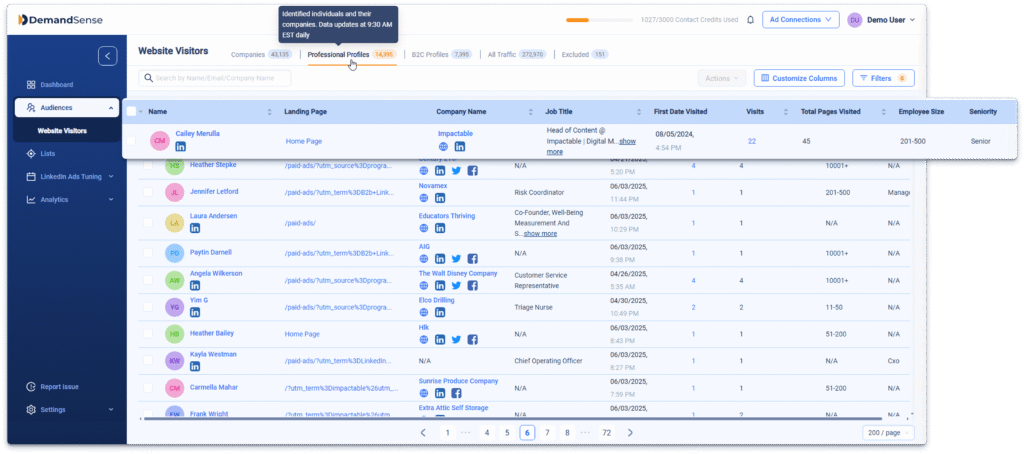
Most tools stop at the company level. “Someone from Acme Corp visited your pricing page.” Cool. Who? WebID tells you it was their VP of Marketing, who’s been back three times this week and spent most of her time on your case studies page.
That changes everything about how you follow up. Sales isn’t reaching out cold to a company anymore — they’re reaching out to a specific person who has already shown intent. The message writes itself differently. The timing feels right instead of random.
Not every visitor is worth a follow-up, and not every follow-up should happen at the same speed. Lead Scoring in WebID lets you build rules across two dimensions: ICP fit (industry, company size, job title, seniority) and engagement (pages visited, time on site, return visits, pricing page views).
Set it up once and the platform scores every visitor automatically. What comes out is a ranked list — not based on someone’s gut, but on actual behavioral signals. Your team stops debating who to prioritize and starts working the accounts that are already warm.
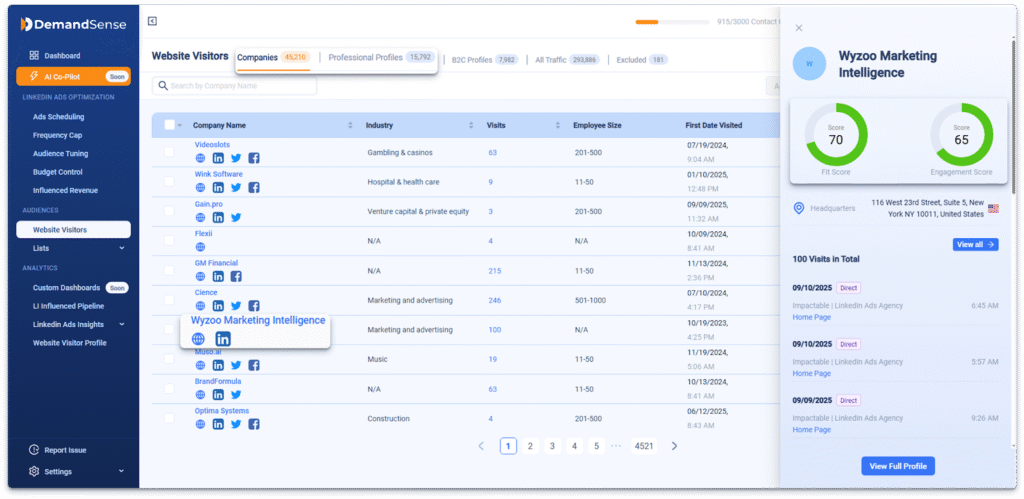
Here’s where it gets interesting. If WebID shows you that a cluster of mid-market SaaS companies keeps landing on your integration pages, that’s targeting intelligence you didn’t have before. You can bring it straight back into Audience Tuning — downvote the companies that bounce immediately, build retargeting audiences from the ones that keep coming back, tighten your ICP based on who’s actually showing up.
Your campaigns stop running on assumptions from when you set them up. They start reflecting what you’re learning in real time.
More data isn’t always better. WebID automatically filters out traffic that’s unlikely to represent real prospects — airport Wi-Fi sessions show up as “Airlines,” hotel guests as “Hospitality,” campus networks as educational institutions. These get filtered by default when the individual visitor isn’t identified, so they don’t eat your credits or clutter your view.
If any of those categories actually match your ICP, you can turn them back on in User Settings. Geography filters work the same way — limit identification to the regions you’re actually selling into. The point is that the signal in your dashboard should be worth acting on, not just voluminous.
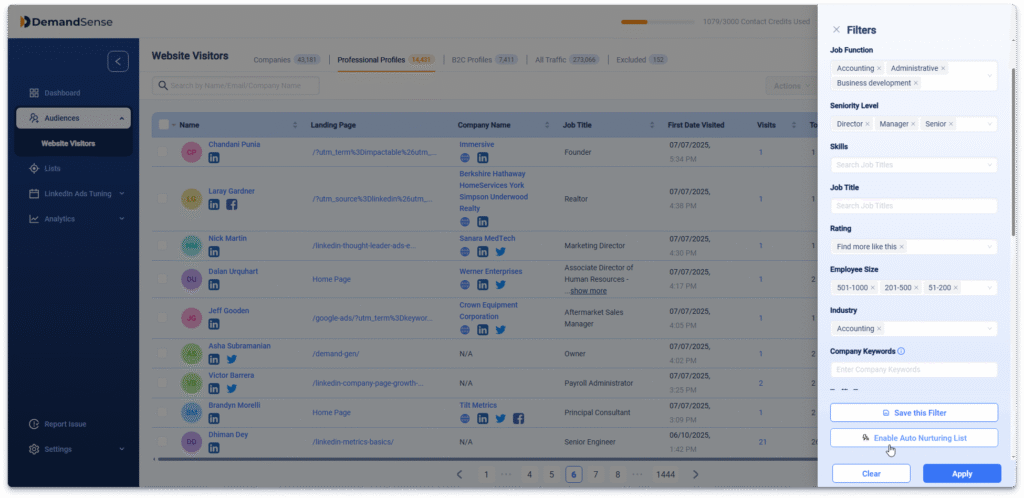
Auto Nurturing Lists update themselves. You define the criteria once — Director-level and above, SaaS industry, visited the pricing or demo page more than once — and every new professional profile that matches gets added automatically. No manual sorting. No CSV exports on Friday afternoon.
Those lists feed directly into your LinkedIn retargeting or outbound sequences. Pair that with the frequency capping you’re already running on the ad side, and high-intent visitors start getting consistent, timely follow-up without anyone manually connecting the dots.
The knowledge base walks you through every step from installing the tracking pixel to configuring lead scoring and suppression rules. And if you get stuck anywhere, the team is there.
Get expert insights and strategies delivered to your inbox weekly.
Book a personalized demo and discover how we can transform your B2B marketing.
See a quick demo video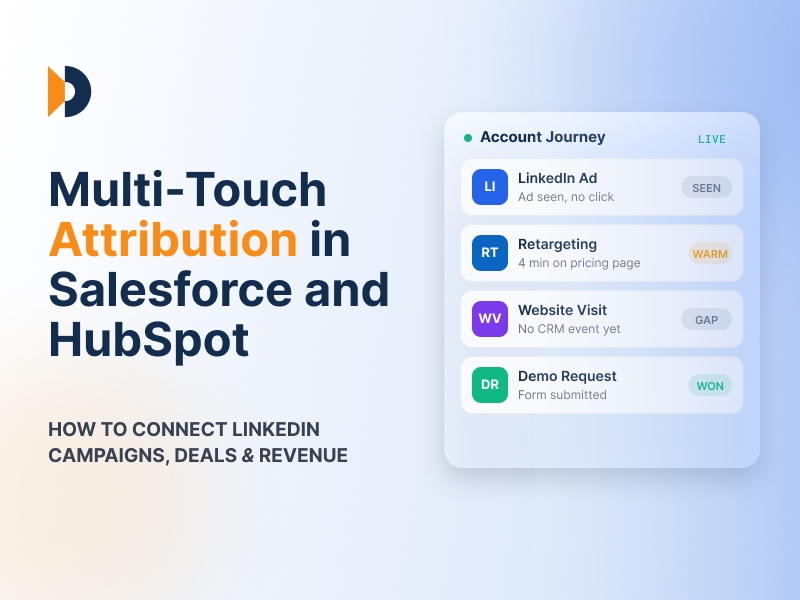
Revenue Attribution & Measurement
Learn how multi-touch attribution works in Salesforce and HubSpot, how to connect LinkedIn Ads campaigns to deals and revenue, and how DemandSense shows influenced pipeline.
LinkedIn Ads
Revenue Attribution & Measurement
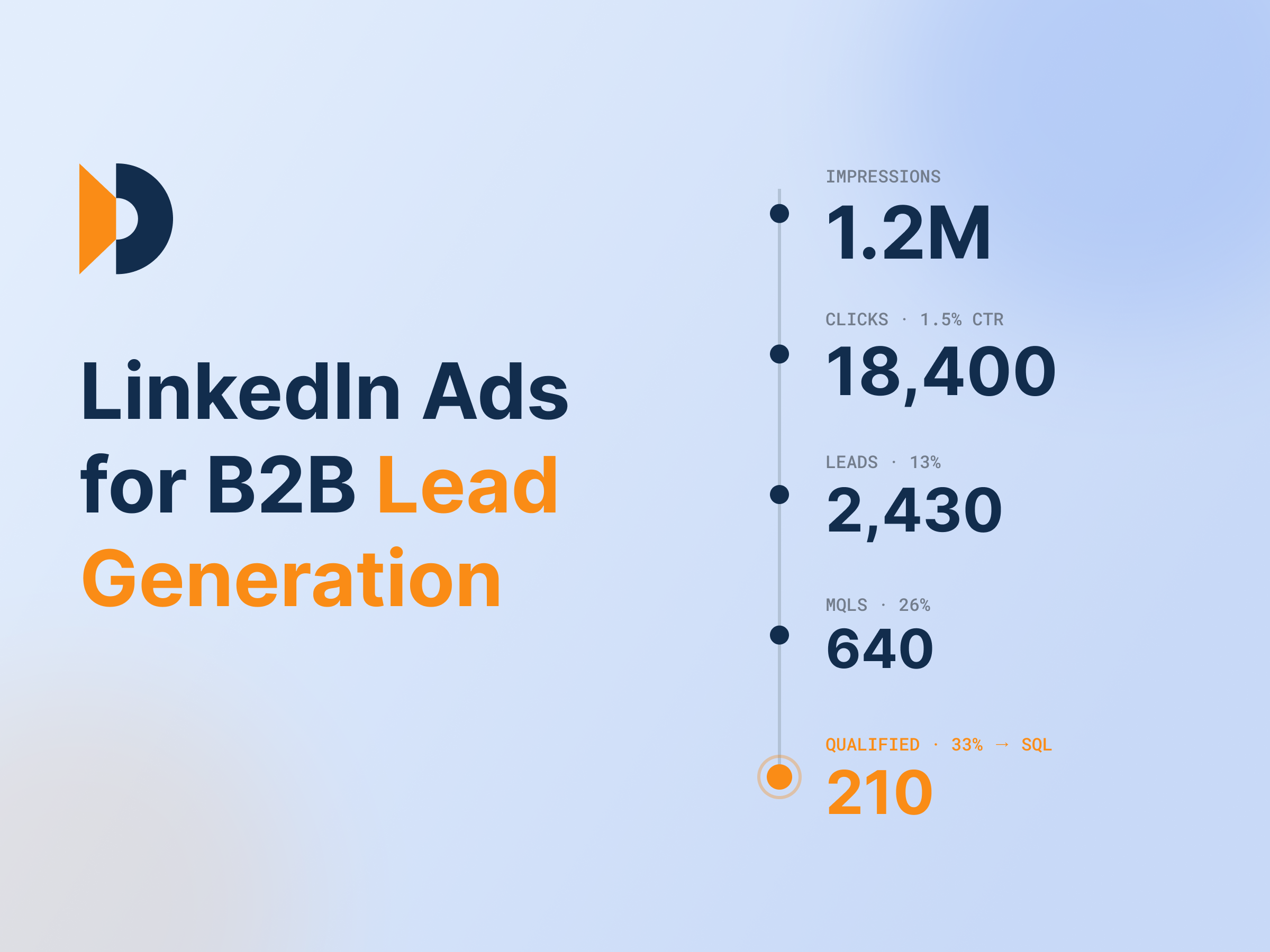
A practical guide to LinkedIn B2B lead generation: funnel strategy, ad formats, targeting, and the metrics that actually tie ads to revenue.
featured
Revenue Attribution & Measurement
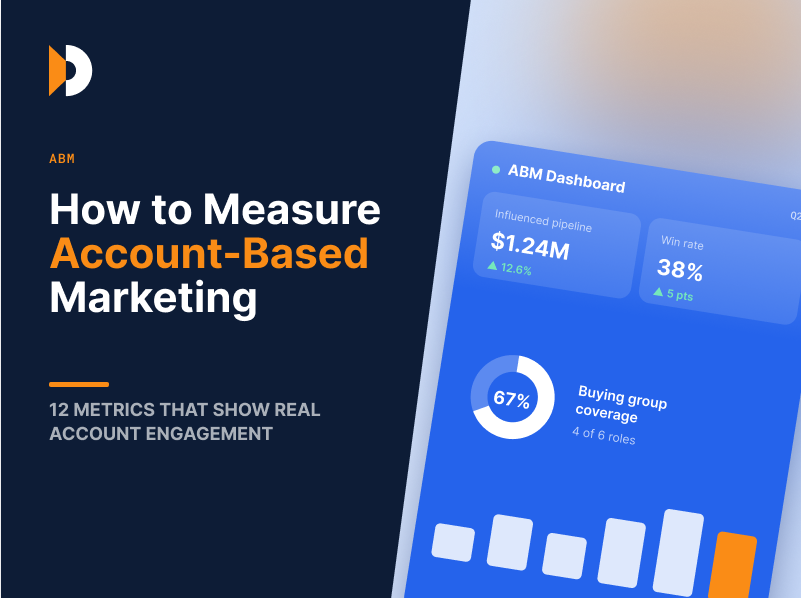
Learn how to measure account-based marketing using 12 ABM metrics that show real account engagement, pipeline influence, revenue impact, and ROI.